IntervalSmith app icon

IntervalSmith

Build your own interval workouts. Run them anywhere — iPhone or Apple Watch.
IntervalSmith running an interval workout on iPhone and Apple Watch
Download IntervalSmith on the App Store

Everything you need to train on your own schedule
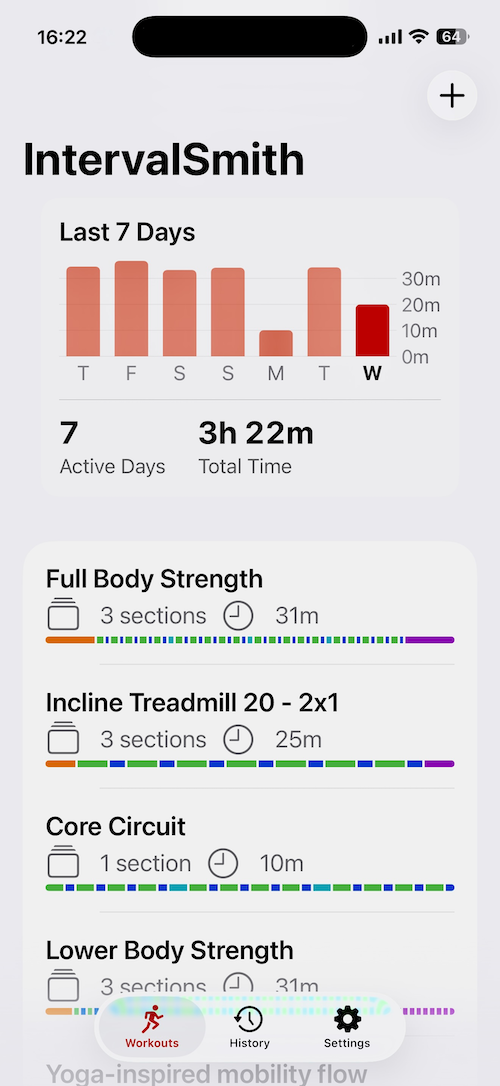
IntervalSmith home screen showing saved workouts and weekly activity chart
Build

Build workouts exactly the way you train

Combine warm up, exercise, rest, and cool down stages into sections you can repeat as many times as you like — Tabata, EMOM, custom circuits, or anything in between. Reorder, duplicate, and edit presets anytime.
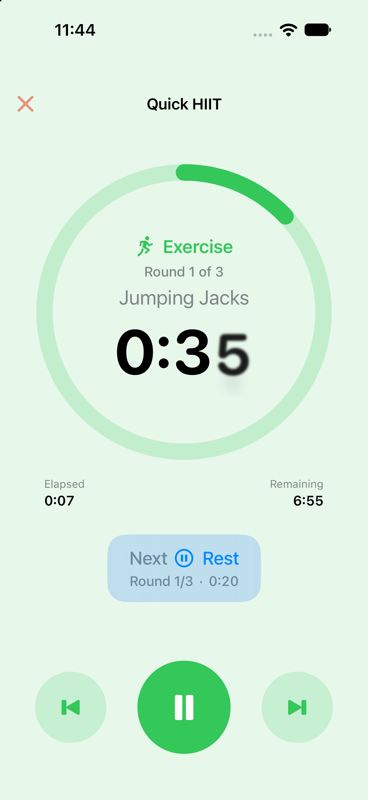
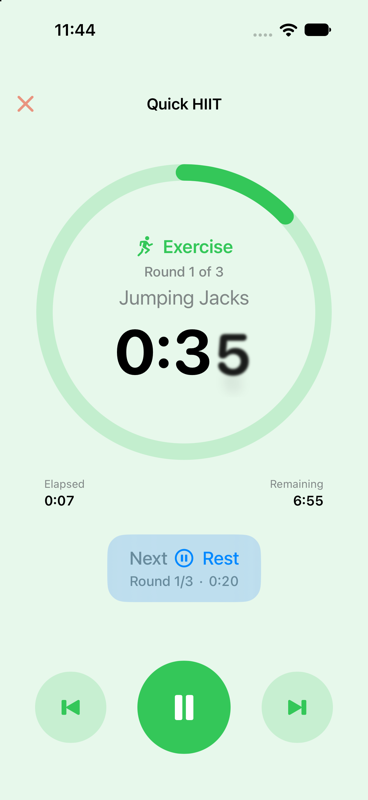
IntervalSmith active workout timer with progress ring and stage countdown
Run

Clear, motivating, distraction-free

A big countdown, a progress ring, and what's coming next — with audio tones and haptic feedback at every transition so you never have to look at your phone mid-set.
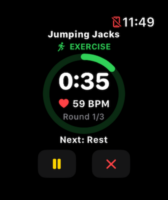
IntervalSmith workout timer running on Apple Watch
Sync

Start on your wrist, or your phone — they stay in sync

Begin a workout on your iPhone and it can launch automatically on your Apple Watch, or start one right from your wrist. Pause, skip, or go back a stage from either device and the other follows along instantly.
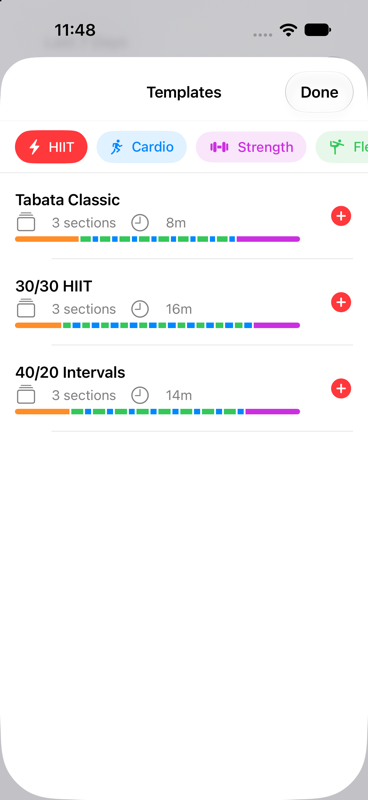
IntervalSmith template library with HIIT, cardio, strength, flexibility, and sports workouts
Discover

Not sure where to start? Browse the template library

Ready-made HIIT, cardio, strength, flexibility, and sports-specific workouts you can drop straight into your list and customize from there.

See it in action
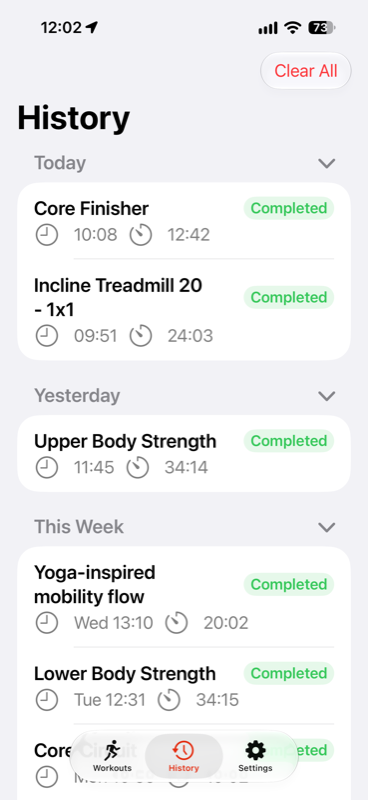
IntervalSmith workout history grouped by day and week
Full history, grouped and collapsible
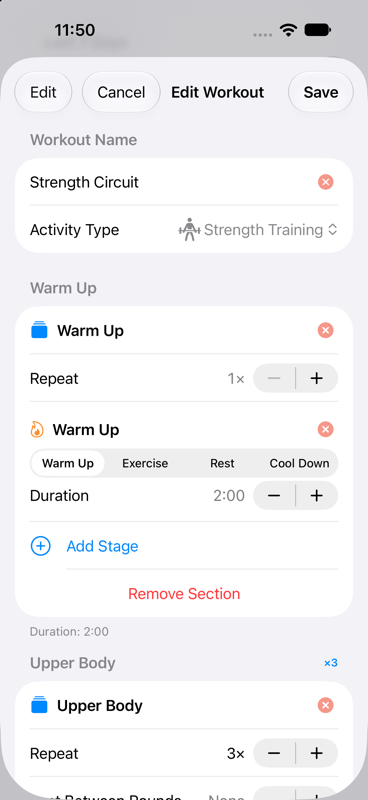
IntervalSmith workout editor showing sections and stages
Full control over every stage
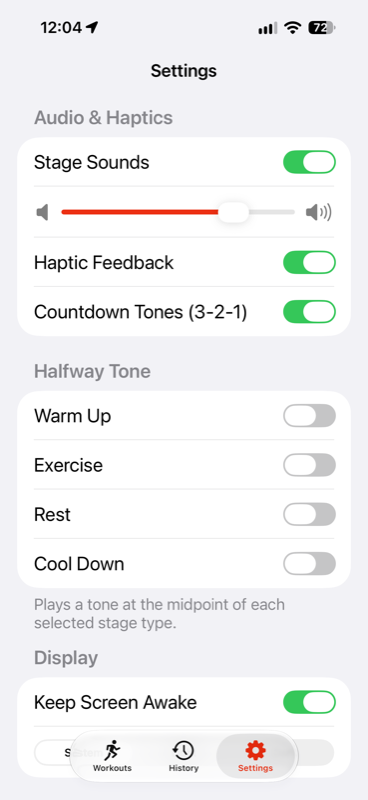
IntervalSmith settings screen
Tune sounds, haptics, and Watch behavior

Try it free. Unlock everything once.

IntervalSmith Pro
$4.99
One-time purchase · No subscription · Family Sharing
  • Apple Watch app
  • Full, unlimited workout history
  • Import & export presets
  • Full template library
  • Automatic Apple Health logging
Download IntervalSmith on the App Store

Support

Questions, troubleshooting, and known issues for IntervalSmith.

Frequently Asked Questions

What's included in IntervalSmith Pro?

The Apple Watch app, full unlimited workout history, import & export of presets, the full template library, and automatic Apple Health logging. The free version covers building and running your own workouts on iPhone, with a 7-day history limit.

Does IntervalSmith work with Apple Watch?

Yes, with Pro. You can start a workout on your iPhone and have it launch automatically on your Watch, or start one directly from your wrist — both devices stay in sync as you pause, skip, or move between stages.

Is my data private?

Yes. IntervalSmith doesn't use analytics, advertising, or tracking of any kind, and we don't operate a server that sees your data. Your workouts and history stay on your device and, if you use iCloud, sync privately across your own devices. See the Privacy Policy for full details.

How do I report a bug or request a feature?

Email info@intervalsmith.com — we read every message.

Known Issues

My music doesn't resume after I get a phone call during a workout

If this happens specifically with AirPods or another Bluetooth headset, and especially if you see the voicemail icon appear afterward, this is very likely caused by Live Voicemail — the iOS feature that transcribes voicemails in real time. Live Voicemail opens its own audio session for the length of the transcription, independent of any app, which can prevent your music from resuming cleanly afterward. You can confirm this by turning off Live Voicemail (Settings → Phone → Live Voicemail on your iPhone) — if your music resumes normally afterward, that confirms it. This is an iOS behavior, not an IntervalSmith issue.

Privacy Policy

Effective date: September 22, 2026

Professional IT Services, LLC ("we," "us," or "our") built IntervalSmith as a workout timer app. This policy explains what information the app handles and how.

Information We Collect

IntervalSmith is designed to work entirely on your own devices. We do not operate any server that receives or stores your personal data, and we do not use any analytics, advertising, or tracking services.

Your Workouts and History

The workouts you create and your workout history are stored on your device and, if you're signed into iCloud, synced privately across your own devices using Apple's iCloud Key-Value Storage. This data is never transmitted to us or to any third party.

Apple Health (HealthKit)

If you choose to enable it, IntervalSmith can:

Access to Health data requires your explicit permission through Apple's system permission prompts, and you can revoke it at any time in the Health app or in your device's Settings. Health data is stored in Apple's HealthKit store on your device and is never sent to us.

Apple Watch

If you use IntervalSmith on Apple Watch, workout data is shared directly between your iPhone and your paired Watch using Apple's WatchConnectivity framework, so that a workout can be started or controlled from either device. This communication happens directly between your own devices and does not pass through our servers.

Purchases

IntervalSmith Pro is a one-time in-app purchase processed entirely by Apple through StoreKit. We never see or store your payment information.

Notifications

If you allow it, IntervalSmith schedules local notifications on your device to keep you informed of your workout's progress while the app is in the background. These notifications are generated and delivered entirely on your device.

Children's Privacy

IntervalSmith does not knowingly collect information from children, and since the app does not collect or transmit personal data to us in the first place, there is no data of any kind — from any user — for us to retain.

Changes to This Policy

If this policy changes, we'll update the effective date above and post the revised version at this same page.

Contact Us

If you have questions about this policy, contact us at info@intervalsmith.com.